

Head Drop



📌 About
This Minecraft plugin makes players drop their head upon death. Configure head drops, glowing effects, particles, broadcast messages, per-player statistics, and much more, all from a single config.yml
Runs natively on Spigot, Paper, Purpur and Folia, with no extra dependencies

💡 Features
-
PvP / PvE / All Drop Modes
Choose when heads drop : on any death, only player kills (pvp), or only environmental deaths (pve) -
Custom Drop Chance
Configure the exact probability of a head dropping (0% → 100%) -
Per-Player Drop Limit
Optionally cap how many heads a single player can ever drop (great for farm prevention). Reset any player with a command -
World Blacklist
Disable head drops entirely in specific worlds -
Invisibility Protection
Optionally prevent head drops when the dying player is invisible -
Custom Head Item
- Editable display name
- Single-line or multi-line lore
- 10 placeholders (player, killer, weapon, world, coordinates, XP, death cause, date & time…)
- Configurable date format and timezone
- Optional despawn timer
- Option to block renaming in anvils (only for plugin heads)
- Optional name & lore persistence : heads keep their identity even after being placed, mined, or blown up (TNT, creepers, end crystals…)
-
Broadcast Messages
Toggle a global chat message whenever a head drops, with full placeholder and color-code support -
Optional Effects
- Visual lightning bolt (no damage)
- Custom sound on drop
- Particles with 7 shapes (upward, circle, burst, cycle, pulse, wave, spiral) and a configurable duration (or infinite)
- Colored glowing outline (16 colors, timed or infinite)
-
Statistics System
An in-game GUI (/head stats) showing every player's head-drop count and last drop time, with :- Global server stats (total heads, unique players, most recent & oldest drop)
- Sorting by count, last drop, or name (ascending / descending)
- Single-player view and live player skins
- Persistent storage that survives restarts
-
Give Command
Hand out any player's head by username with/head give -
Built-in Update Checker
Get notified in the console when a new version is released on Modrinth
All these features can be fully configured in the config.yml
Default behavior :
If you don't modify the config, head drops function just like vanilla : no effects, no broadcasts, no special visuals
🛠️ Setup
- Download the version of the plugin that matches your Minecraft server
- Place the
.jarfile in yourpluginsfolder - Restart your server to activate the plugin
Most settings can be customized in the config.yml file, make sure to review it for full configuration options
🎮 Commands & Permissions
| Command | Description | Permission (default) |
|---|---|---|
/head help | Show the help menu | head.command.help (everyone) |
/head stats [player|page] | Open the statistics GUI | head.command.stats (everyone) |
/head give <headName> <player> | Give a player's head to someone | head.command.give (OP) |
/head reset <player> | Reset a player's drop counter | head.command.reset (OP) |
/head reload | Reload the configuration | head.command.reload (OP) |
The /head stats command can be fully disabled from the config if you don't want it on your server
🏷️ Placeholders
Usable in the head name, lore and broadcast message :
%head_player% · %head_player_uuid% · %head_killer% · %head_weapon% · %head_world% · %head_coordinates% · %head_datetime% · %head_xp% · %head_id% · %head_death_cause%
⚙️ Config
After modifying your config.yml, use the command /head reload to apply your changes without restarting the server
This command is only available to OP players
🤝 Community & Support
Need help, found a bug, or just want to chat ?
Join our Discord community, we're always happy to hear your feedback and suggestions !
❓ FAQ
Q: Where can I find the config.yml file ?
A: After the first launch, the file appears at : /plugins/HeadDrop/config.yml
Q: Does this plugin work on Folia ?
A: Yes ! HeadDrop runs natively on Folia, as well as Spigot, Paper and Purpur, no separate build required
Q: How do I update the plugin to a newer version ?
A: Download the latest release, replace the old .jar file in your plugins folder, then restart your server
Q: How do I report bugs ?
A: Join the Discord server and post the issue in the bug-reporting channel
Q: What happens if I delete the config.yml file ?
A: The plugin automatically regenerates a fresh default configuration file the next time the server starts
📊 Metrics
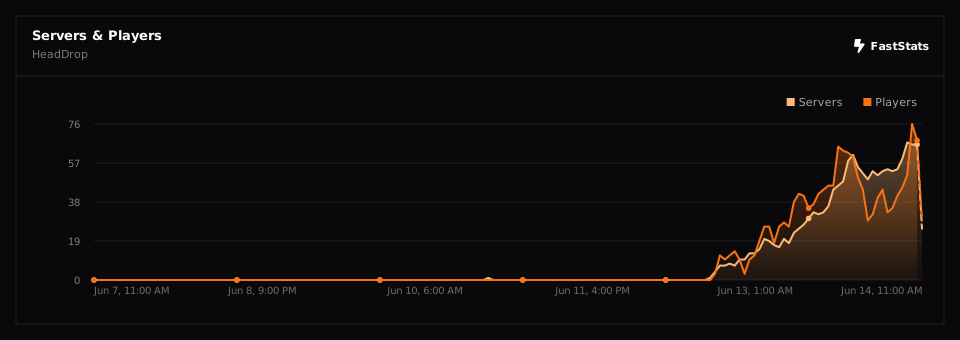
This plugin collects anonymous usage data (player and server counts, server software and version…) through two open statistics services : FastStats and bStats
FastStats is privacy-first : it does not store IP addresses or any data that could identify you, and is fully GDPR-compliant. You can see the live numbers on the public project page
bStats is open-source and equally anonymous. If you prefer to disable it, open /plugins/bStats/config.yml and set enabled to false