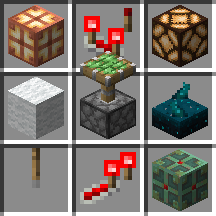
This is the first Vanilla release of the pack. It doesn't have the particles of the regular counterpart. This will be updated eventually for parity
Changelog
- Fixed lightning rod missing its view angles
Particle update

The texture pack will now be split into Item interactions and Item interactions Vanilla
The main pack will have compatibility with the Item interactions mod, while Vanilla will be strictly vanilla.
Added particles:
- Leaves
- Firefly bushes
- Buckets
- Torches, repeaters and comparators
- Sculk sensors
- Campfires
- Note blocks and jukeboxes
- Pots
- Dispensers, droppers and crafters
- Open Eyeblossom
- Enchanting table
- Brewing stand
- End rod
- Tnt and tnt minecart
- End crystal
- Firework rockets
- Ender eyes
- Soul sand and soil
Additions (1.21.5 only):

- Spawn eggs interaction
- Adding Grumm, Dinnerbone and jeb_ to spawn eggs will now flip them.
- Setting the
variantblock_state to "warm" or "cold" will reflect its change on cow, pig and chicken spawn eggs. - Setting the
Color(Uppercase C) block_state to the color strings or a number between 0-15 will also reflect on the sheep spawn egg
- Leaves
If you want the new stuff in 1.21.4 you can change the pack.mcmeta to lower the bounds of the addition to the main version.
This is a big one
Additions
- Campfires
- Creaking heart
- Slabs states
- Stairs states
- Waterlogging for stairs, walls, signs, ladders, chests, fences, slabs, campfires, big dripleaves and some others probably
- Powered overlay for hoppers, note blocks, doors, trapdoors, fence gates, bells, observers, dispensers, droppers
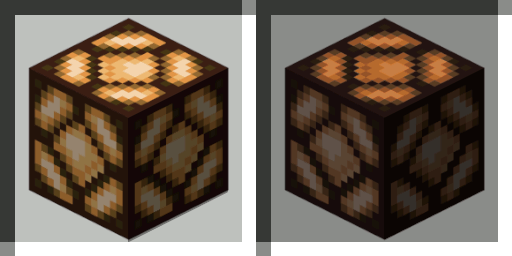
- [POLYTONE ONLY] Custom creative tab with certain blockstates and items. Currently only used for lit redstone lamp my beloved and the custom armor stands
Changes
- fixed brick and tile walls
- changed tnt overlay so that its fullbright in the inventory


Added the following:
- Observer (it works without any other resource packs, but preferably add one that changes the observer more when active to see changes in the gui)
- Mushroom blocks
- Bell
- All signs
- Lantern and soul lantern
Also added snowy grass, mycelium and podzol blocks. All of the above have their blockstates reflected (except signs since those are separate blocks)

Added:
- All Buttons and pressure plates
- All fences, and walls (with their respective blockstates aswell)
- Sculk catalyst
- Big dripleaf and blockstate for the small dripleaf
- Lectern
- Lightning rod
Also changed the sculk sensor to also use its blockstates
With that, most of the redstone tab is now done
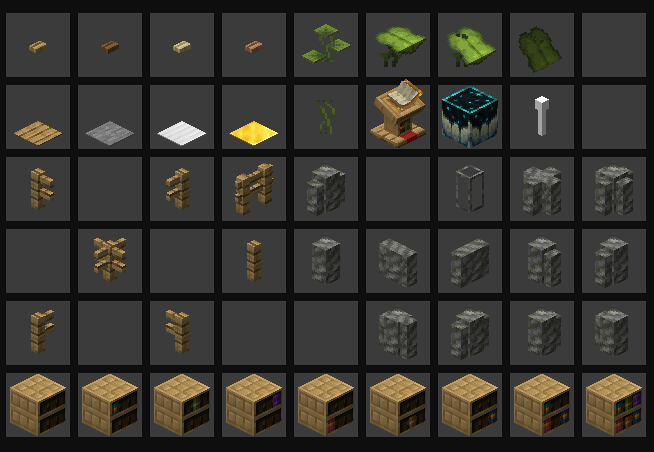
- fixed chests breaking due to christ
late because i didnt have internet
- Added doors
Yes, all 17 of them, with their open, half, and hinge states (If i had a nickel for every time I've wrote a python script for a minecraft resource pack I'd have 2 nickels)
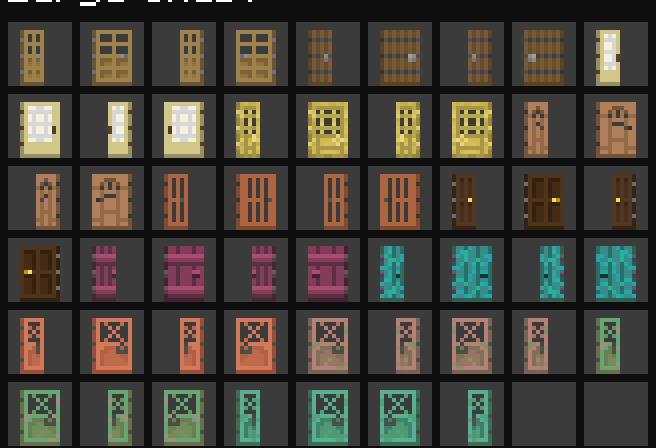
First update so far. Got into a nice workflow now, so things are going fast
Changelog
Added carry animations and blockstates if applicable for the following:
- All boats
- All trapdoors and fence gates
- Structure blocks
- Enchanting table
- Armor stands
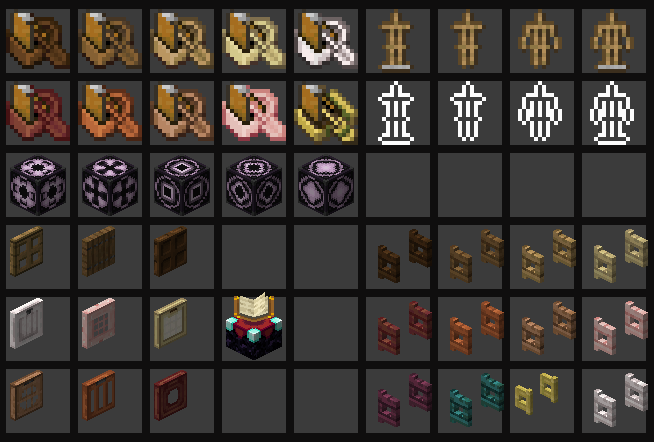
For the armor stands, you can get the variants with the following commands:
/give @p armor_stand[minecraft:block_state={ShowArms:"false", NoBasePlate: "false"}, minecraft:entity_data={ShowArms:false, NoBasePlate: false, id: "armor_stand"}]
/give @p armor_stand[minecraft:block_state={ShowArms:"false", NoBasePlate: "true"}, minecraft:entity_data={ShowArms:false, NoBasePlate: true, id: "armor_stand"}, lore=['{color: gray, text: "No base plate"}']]
/give @p armor_stand[minecraft:block_state={ShowArms:"true", NoBasePlate: "false"}, minecraft:entity_data={ShowArms:true, NoBasePlate: false, id: "armor_stand"}, lore=['{color: gray, text: "Shows arms"}']]
/give @p armor_stand[minecraft:block_state={ShowArms:"true", NoBasePlate: "true" }, minecraft:entity_data={ShowArms:true, NoBasePlate: true, id: "armor_stand"}, lore=['{"text": "No base plate", color: gray}', '{color: gray, text: "Shows arms"}']]

/give @p armor_stand[minecraft:block_state={ShowArms:"false", NoBasePlate: "false", Invisible:"true"}, minecraft:entity_data={ShowArms:false, NoBasePlate: false, Invisible:true, id: "armor_stand"}, lore=['{color: gray, text: "Invisible"}']]
/give @p armor_stand[minecraft:block_state={ShowArms:"false", NoBasePlate: "true", Invisible:"true"}, minecraft:entity_data={ShowArms:false, NoBasePlate: true, Invisible:true, id: "armor_stand"}, lore=['{color: gray, text: "Invisible"}', '{"text": "No base plate", color: gray}']]
/give @p armor_stand[minecraft:block_state={ShowArms:"true", NoBasePlate: "false", Invisible:"true"}, minecraft:entity_data={ShowArms:true, NoBasePlate: false, Invisible:true, id: "armor_stand"}, lore=['{color: gray, text: "Invisible"}', '{color: gray, text: "Shows arms"}']]
/give @p armor_stand[minecraft:block_state={ShowArms:"true", NoBasePlate: "true", Invisible:"true"}, minecraft:entity_data={ShowArms:true, NoBasePlate: true, Invisible:true, id: "armor_stand"}, lore=['{color: gray, text: "Invisible"}', '{"text": "No base plate", color: gray}', '{color: gray, text: "Shows arms"}']]
There were also some internal changes. You can now get most carry textures by giving the item with
block_state={display: ui}, mostly the ones that dont have a placed block modelInitial release