

308
5

💀 xHeadTurns
Advanced Floating Heads, Holograms & Animations



📝 Overview
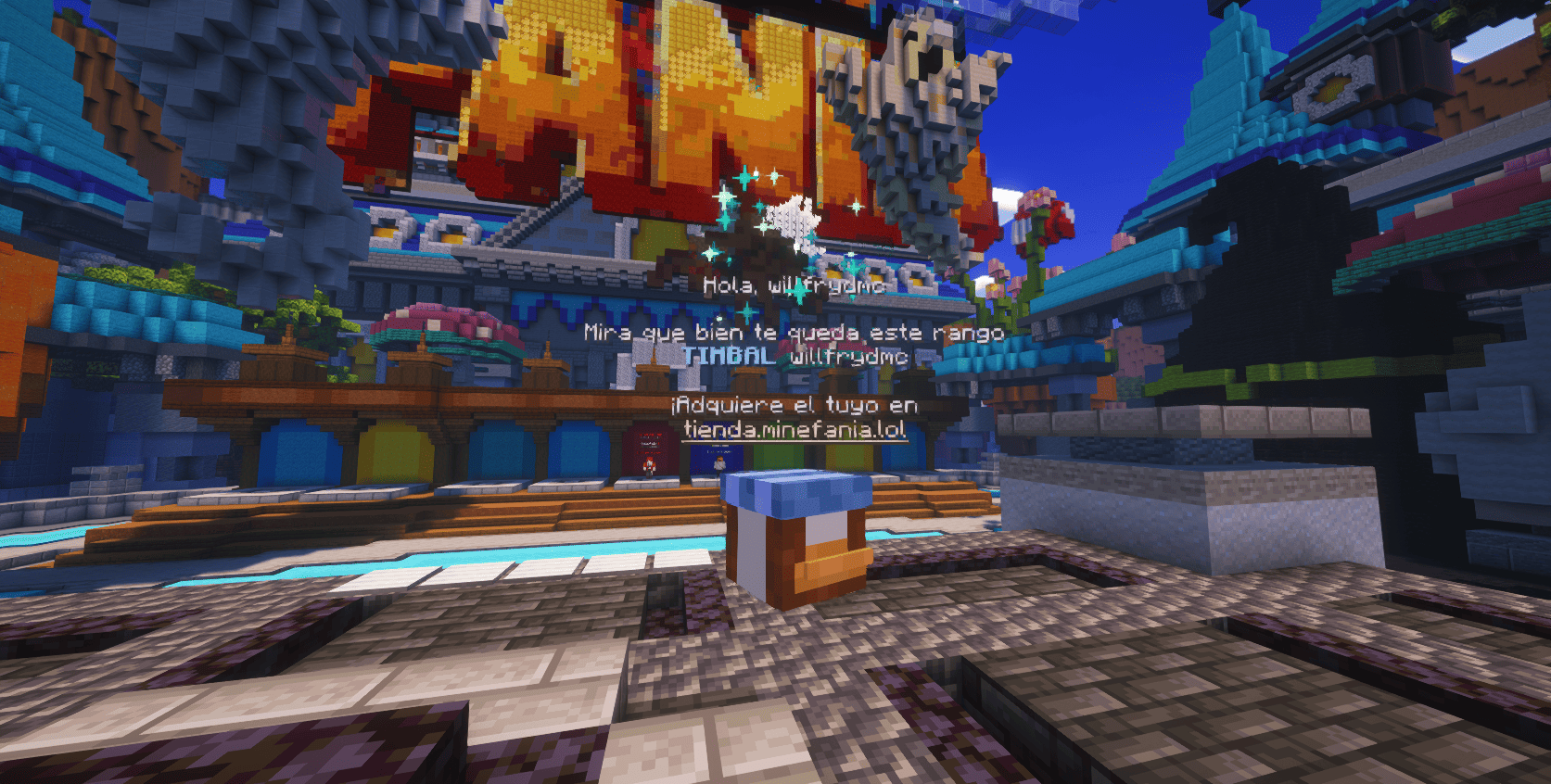
xHeadTurns is the ultimate solution for decorating your server lobbies, hubs, and spawn areas. Bring your server to life with fully interactive Floating Heads that support custom textures, real-time rotation, scaling, and dynamic holographic displays.
Now with a Full In-Game Editor, you can modify every property of your heads without ever touching a configuration file.
✨ Key Features
- 🎮 Full In-Game Editor: Modify scale, speed, textures, and hologram lines in real-time with
/xhte. - 🎨 Custom Textures: Support for Base64 values (Minecraft-Heads) and Player Names.
- 🔄 Dynamic Rotation: Fully customizable rotation speed and manual angle (Yaw/Pitch) control.
- 💬 Advanced Holograms:
- Multi-line support with HEX Colors (e.g.,
&#a7c7e7). - PlaceholderAPI support (updates based on the nearest player).
- Customizable backgrounds (RGB + Opacity), billboards, and shadows.
- Multi-line support with HEX Colors (e.g.,
- ✨ Particle Animations: Styles like
HELIXandSPHEREwith custom particle types. - ⚡ Interactivity: Execute Console or Player commands on click with per-head cooldowns.
- 🌍 Multi-Language: 100% translatable (English and Spanish included).
🛠️ Commands & Permissions
| Command | Description | Permission |
|---|---|---|
/xht help | Shows the help menu with all commands. | xheadturns.help |
/xht list | Opens a GUI with all active floating heads. | xheadturns.list |
/xhtc <name> <preset> | Spawns a head at your target location. | xheadturns.create |
/xhtd <name> | Deletes a specific floating head. | xheadturns.delete |
/xhtm <name> | Moves a head to your current target location. | xheadturns.move |
/xhte <name> <cat> <prop> <val> | Advanced Editor: Edit any property in-game. | xheadturns.edit |
/xht reload | Reloads configurations and head data. | xheadturns.reload |
⚙️ Advanced Editing Examples
Using the new Editor System, you can customize your heads on the fly:
# Change the scale of a head
/xhte MyHead head scale 2.0

# Add a new line to a hologram
/xhte MyHead hologram add &fVisit our &b/store

# Change hologram background to a semi-transparent blue
/xhte MyHead hologram background 0,0,255 100

# Update head texture to a player's skin
/xhte MyHead head texture Dream
🚀 Installation
- Download the xHeadTurns .jar.
- Upload it to your /plugins/ folder.
- Requirement: Ensure you have PlaceholderAPI installed for dynamic names.
- Restart the server.
Use /xhtc to start creating your first floating heads!
🤝 Support & Community
Need help? Found a bug? Join our Discord server!
Join Discord Server
Plugin developed with ❤️ by xPlugins x WillfryDev
Copyright © 2026 xPlugins. All rights reserved.
