
Server-Plugin
A versatile Minecraft plugin for map generation, zombie invasions, server monitoring and flexible configuration. Ideal for any server!

Release Notes: Minecraft Server Map Generator Plugin
Version: 0.8-SNAPSHOT
Author: Kajakfrosch
API-Version: 1.21
Features
-
Map generator for Minecraft worlds
- Automatic creation of a
map.pngthat represents the current world. - HTML generation for easy viewing in the browser (
index.html). - Supports dynamic rendering of the map for events such as player entry or world saving.
- Automatic creation of a
-
Zombie Invasion
- Players can launch zombie invasions with customisable difficulty levels and intervals.
- Rewards for successful defence, including configurable items and probabilities.
- Possibility to end active invasions.
-
server performance monitor
- Monitoring of TPS (ticks per second), memory utilisation and loaded chunks.
- Notifications in case of server overload.
4 Dynamic HTML generation - Player statistics and world map directly accessible via a website (
index.html). - Automatic generation of map tiles for zoom view.5 Extended logging options - Debugger for detailed logging and error diagnosis. - Configurable log levels (
INFO,WARN,DEBUG,ERROR).Installation
1. Prerequisites
- Server version: Minecraft Server 1.21+ (Spigot / Paper recommended).
- Java version**: 17 or higher.
- Plugin API version: 1.21 compatible.
- Access to the server plugin folder and Apache configuration (if HTML files are to be hosted publicly).
2. Installation of the plugin
1 Upload plugin: - Upload the published JAR file (
server.jar) to thepluginsfolder of your server.2 Generate configuration files: - Start the server to have the default configuration files (
config.yml,blocks.txt) generated.-
customise configuration**:
- Adjust the values in the
config.yml:- Set MOTD (server message of the day).
- Activate/deactivate debug logging.
- Adjust threshold values for performance monitoring.
- Adjust the values in the
-
Restart server:
- Restart the server so that all changes are applied.
Map generation
The maps are automatically saved in the
plugins/server/work/folder:map.png- Complete map of the current Minecraft world.index.html- Web page for accessing the map and statistics.
Manual creation
- Use the
/dynmapcommand to create the map by command:
/dynmapFiles
-
Map:
- Location:
plugins/server/work/map.png.
- Location:
-
HTML file:
- Location:
plugins/server/work/index.html.
- Location:
Map tiles (optional)
The map can be divided into smaller tiles (
Tiles) for zoom view (using theTileGeneratorclass).- Location of the tile files:
plugins/server/work/tiles/.
Commands
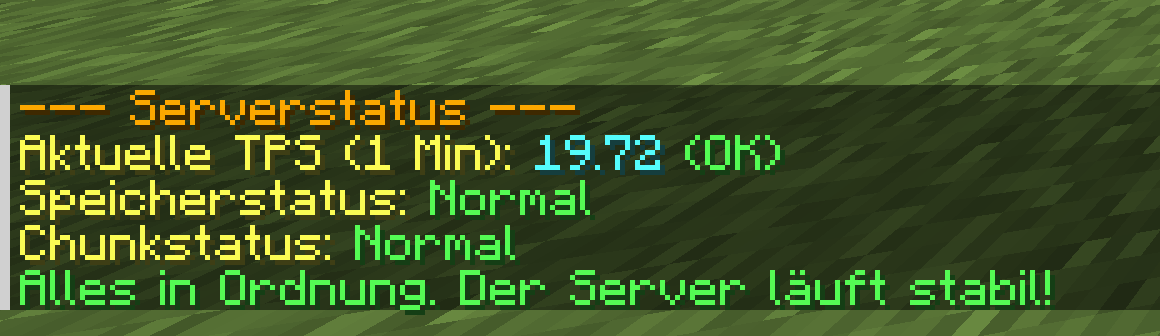
Command Description Permission /dynmapCreates a map of the current world. server.dynmap/invasionStarts or stops a zombie invasion. server.*/serverstatusDisplays the current status of the server. server.statusExample for invasion: - Starting an invasion (
distance: 10 blocks,difficulty: 5):
/invasion start 10 5- Stop an active invasion:
/invasion stop ``` ### **HTML hosting** #### **Apache server configuration** The generated files (`map.png`, `index.html`) can be made publicly available. To do this, an Apache web server must be configured accordingly: 1. **Copy files to the public folder** (e.g. `/var/www/html/map/`): ``` bash cp -r plugins/server/work/* /var/www/html/map/ ``` 1. **Configure Apache**: - Edit the configuration file for the web server: ``` bash sudo nano /etc/apache2/sites-available/000-default.conf ``` - Complete the configuration: ``` apache <Directory /var/www/html/map> Options Indexes FollowSymLinks MultiViews AllowOverride All Require all granted </directory> ``` 1 **Restart Apache**: - Apply the changes: ``` bash sudo systemctl restart apache2 ``` 1. **Test access**: - Open the generated map via `http://<server-ip>/map/`. #### **Note**: The map HTML (`index.html`) contains dynamically generated text (player statistics, online counter). Update the file manually using the `dynmap` command to load new data.-
