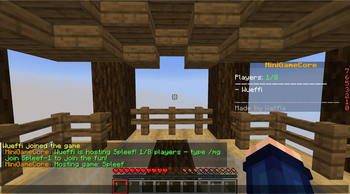



MiniGameCore
MiniGameCore is a central plugin for managing minigame lobbies in Minecraft Paper Servers. It handles hosting, joining, starting, and stopping games – with animated scoreboards, statistics, and multiverse support.
🔧 Installation
- Download the latest
.jarfrom Modrinth or Releases. - Place the file in the
plugins/folder of your Minecraft server. - For permission-management, you can optionally use a plugin like LuckPerms.
- Restart the server once.
📜 Commands & Permissions
Aliases: /p for /party and /tc for /teamchat
| Command | Description | Permission |
|---|---|---|
/mg host <game> | Creates a new lobby | mgcore.host |
/mg join <lobby-id> | Join the lobby | mgcore.join |
/mg ready | Set your Status as Ready | mgcore.ready |
/mg unready | Set your Status as not Ready | mgcore.ready |
/mg confirm | Confirm an action | mgcore.confirm |
/mg leave | Leave the lobby or game | mgcore.leave |
/mg start | Start the game manually (if allowed) | mgcore.start |
/mg spectate <lobby-id|player> | Join a game as a spectator | mgcore.spectate |
/mg reload | Reload the plugin | mgcore.admin |
/mg stop <lobby-id> | Stop a specific game | mgcore.admin |
/mg stopall | Stop all active games | mgcore.admin |
/mg ban <player> | Ban the player from using most MiniGameCore commands | mgcore.admin |
/mg version | Displays the version of MiniGameCore you are using | mgcore.use (default) |
/party create <name> | Creates a new party | mgcore.party.create |
/party join <player> | Join the player's Party | mgcore.party.join |
/party leave | Leave your party | mgcore.party.join |
/party invite <player> | Invite a player to your party | mgcore.party.invite |
/party deny | Deny a player's invitation to their party | mgcore.party.invite |
/party list | List the Party's Members | mgcore.party.list |
/teamchat <message> | Sends the message to your team only | mgcore.teamchat |
⚙️ Plugin-Configurations
Plugin Configurations are located in the folder: ./plugins/MiniGameCore. The main configuration file is config.yml.
config.yml
Example config:
available-games:
- Game1
- Game2
- Game3
banned-players:
- 2e0749e5-4ec0-4201-b58d-c4277014749c
- 337482fe-8a15-47f6-bea5-a84918a86393
keep-worlds: false
disable-scoreboard: false
Note: if keep-worlds: true, the plugin is going to move them to ./plugins/MiniGameCore/ArchivedWorlds instead of deleting them.
Loading Game-Worlds & Configuring them
The Folder for Gameworlds and configs is ./MiniGameCore. Every Game World should be named like this: <Game name>_world. If you want multiple maps per game, name the other worlds <Game name>_world<index>. The world configs are named config.yml and should be located in the Game's world folder.
All available options:
| Field | Description | Required / Default |
|---|---|---|
name | Display name of the game, e.g. in the scoreboard or at /mg host | ✅ Yes |
maxPlayers | Maximum number of players for this game instance | ✅ Yes |
teams | Maximum number of teams (0 for no teams, 2-8 teams possible) | ❌ No (default: 0) |
minPlayers | Minimum number of players for this game | ❌ No (default: 2) |
spawnPoints | Default spawn points for players without a team | ✅ Depends |
teamSpawnPoints | Spawn points per team (e.g. 0: [...], 1: [...]) | ✅ Depends |
inventory | Starting items at game start (e.g. ["WOODEN_SHOVEL"]) | ❌ No |
allowed_break_blocks | Which blocks can be broken (e.g. ["SNOW_BLOCK"]) | ❌ No |
allowed_place_blocks | Which blocks can be placed (e.g. ["OAK_PLANKS"]) | ❌ No |
respawnMode | Control of respawn behavior: "true" or "false" | ❌ No (default: false) |
respawnDelay | Seconds delay until respawn (if enabled) | ❌ No (default: 0) |
doDurability | Control ItemDamage: true (vanilla) or false | ❌ No (default: true) |
allowPVP | Allow PVP: true (vanilla) or false | ❌ No (default: true) |
blocked_damage_causes | Stop these damage causes from happening | ❌ No |
timeLimit | Stops a game after X seconds have passed | ❌ No (default: 600) |
allowFriendlyFire | Allow members of the same team to attack each other | ❌ No (default: false) |
allowCrafting | Allows Players to craft items during the game | ❌ No (default: false) |
silenceDeathMessages | Whether or not to silence death messages | ❌ No (default: false) |
hostPerm | Only players with this permission may host this game | ❌ No (default: mgcore.host) |
joinPerm | Only players with this permission may join this game | ❌ No (default: mgcore.join) |
doHunger | Whether players' hunger bars should deplete | ❌ No (default: false) |
allowOpeningContainers | Allows players to open containers before the game starts | ❌ No (default: false) |
Example config for an 8 player Spleef-Game:
game:
  name: Spleef
  maxPlayers: 8
  teams: 0
  spawnPoints:
    spawn1:
      x: -11
      y: 64
      z: 0
    spawn2:
      x: -7
      y: 64
      z: -7
    spawn3:
      x: 0
      y: 64
      z: -11
    spawn4:
      x: 7
      y: 64
      z: -7
    spawn5:
      x: 11
      y: 64
      z: 0
    spawn6:
      x: 7
      y: 64
      z: 7
    spawn7:
      x: 0
      y: 64
      z: 11
    spawn8:
      x: -7
      y: 64
      z: 7
  inventory:
    - "iron_shovel"
  allowed_break_blocks:
    - "snow_block"
  respawnMode: false
  doDurability: false
  allowPVP: false
‼️ API
You can use the MiniGameCoreAPI by importing the Project using Gradle! Paste this in your build.gradle:
repositories {
    maven { url "https://jitpack.io"  }
}

dependencies {
    implementation 'com.github.Wueffi:MiniGameCore:master-SNAPSHOT'
}
In your project, import classes/events/methods using import wueffi.MiniGameCore.x
Available Events are:
GameStartEvent with event.getGameName() and event.getLobby()
GameOverEvent with event.getLobby()
Helpful MGC Classes are:
Lobby
Team
Available API methods are:
getLobbyManager() -> return the LobbyManager instance
winPlayer(Lobby lobby, Player player) -> let a singular Player win a game
winTeam(Lobby lobby, Team team) -> let a Team win a game
playerDeath(UUID playerid) -> notify MiniGameCore of a Players Death
playerAlive(UUID playerid) -> notify MiniGameCore of a Players Respawn
getRespawnLocation(UUID playerid) -> returns the Respawn location of a player