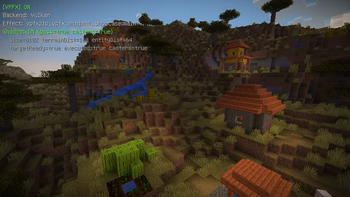

Vulkan PostFX
Experimental VPFX shader pack loader and post-processing framework for Minecraft’s modern Vulkan-based rendering path.

Vulkan PostFX 1.15.1+mc26.2-rc2-2026-06-14
Список изменений
Vulkan PostFX 1.15.1
This update introduces the first-generation VPFX in-game UI.
The old pack selection experience has been replaced with a cleaner Reese-style VPFX settings screen. This makes pack switching, backend inspection, reload testing, and debugging much easier while reducing the amount of screen space taken by large vanilla-style buttons.
Added
-
Added the first-generation VPFX settings UI.
-
Added a new Reese-style VPFX pack/settings screen.
-
Added tabbed VPFX pages:
- Packs
- General
- Backend
- Debug
- Developer
- About
-
Added a compact VPFX pack browser.
-
Added pack status display, including source, backend hint, pass count, and target count.
-
Added backend status display for the active runtime backend.
-
Added native direct / PostChain runtime state visibility in the UI.
-
Added fallback reason and failed effect information to the UI state snapshot.
-
Added
VpfxUiStatefor UI-facing runtime snapshots. -
Added
VpfxUiServiceas a UI facade for reading VPFX state and submitting UI requests. -
Added first-pass tooltip support for UI rows and buttons.
-
Added compact action buttons for Apply, Reload, and Done.
-
Added paged pack listing for cleaner navigation when multiple VPFX packs are available.
-
Added a 26.2 snapshot-compatible screen bridge for opening and closing VPFX screens more safely across unstable mappings.
Improved
- Improved the VPFX pack selection workflow.
- Improved visibility of the currently active VPFX pack.
- Improved visibility of the active backend.
- Improved development ergonomics when testing multiple VPFX packs.
- Improved UI readability by replacing the old large-button layout with a cleaner custom layout.
- Improved diagnostics visibility for broken or fallbacking VPFX packs.
- Improved separation between UI code and runtime code.
Changed
- F7 now opens the new VPFX settings / pack browser experience.
- Pack selection is now handled through the new VPFX UI.
- Runtime and pack information is now collected through a UI snapshot layer before being rendered.
- VPFX settings are now organized into category pages instead of a flat button list.
Notes
This is the first generation of the VPFX UI.
The goal of this version is to establish a cleaner in-game control surface for VPFX development and testing. The UI is not final yet, and more polish will be added in later versions.
Future UI work may include:
- more complete tooltips
- better pack detail panels
- clearer native compatibility diagnostics
- more developer/debug controls
- visual polish
- improved responsive layout behavior
- better localization coverage
Vulkan PostFX is still experimental. The native runtime, VPFX pack format, and UI may continue to change as the project evolves.
