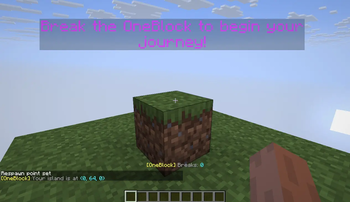

One Block
One Block: Begin your Minecraft adventure in a desolate world with just one respawning block. Break it, level it up, and unlock richer rewards with each upgrade.
Список изменений
OneBlock 3.0.4
Minecraft: 26.1.X · Loaders: Fabric, Forge, NeoForge, Quilt
Big thanks to everyone who took the time to report problems! This release is a round of fixes based on your feedback. Most of these features were already in the mod, they just weren't always working the way they should, or were behaving inconsistently. This update gets them back in shape.
Floating messages above the block
A lot of you reported that the floating text that used to appear above your OneBlock had stopped showing up. It's fixed and back to normal. You'll once again see messages float above the block for:
- A welcome when you first arrive
- Milestone celebrations as your break count climbs
- Helpful tips, encouragement, and the occasional joke
- "Item drop!" and "friendly mob" notices
- Incoming-wave warnings and a "Wave cleared!" message when you win
Each message floats above the block, faces you, and fades away on its own. You can still turn them on/off and change how long they stay up in the admin panel.
Admin panel settings that weren't doing anything
Several players pointed out that some toggles and sliders in the admin panel didn't seem to change anything. You were right, they weren't connected properly. All of these now work as labeled:
- End Portal Frames — reported as not dropping at all. Fixed: once you've broken enough blocks, End Portal Frames can drop again, and the "chance" and "required breaks" sliders now actually control how often and how soon.
- Plants — the on/off toggle had no effect. It now properly controls whether plant blocks (grass, flowers, saplings…) appear in the rotation.
- Progression Cap — the slider did nothing. It now controls how quickly new block types unlock: lower it to speed through progression, raise it to stretch the journey out.
- Visual Effects — couldn't be turned off before. You can now switch off the particles and sounds (treasure chests, cleared waves, etc.) for a quieter island.
- Wave Feedback — the "Wave cleared!" message wasn't appearing. It now shows (with a little sparkle) when you defeat a wave. On by default; turn it off if you'd rather keep things quiet.
- Wave Alert Duration — this slider was ignored. It now sets how long the incoming-wave warning stays on screen.
- Friendly Mob Chance — adjusting this had no effect on how many friendly animals appeared, because it was wired to the wrong value. It now genuinely changes how often friendly animals show up.
Difficulty wasn't being respected
Some of you noticed that changing your world difficulty didn't seem to affect waves or rewards. It does now:
- Enemy waves come more often on Hard, less often on Easy, and not at all on Peaceful.
- Rewards (item drops, friendly animals, buckets, portal frames) are more generous on Easy and rarer on Hard.
Heads up: enemy waves are now tied to an "Enemy Wave Chance" setting. On the default Normal difficulty they're fairly infrequent — if you want waves more often, lower the Enemy Wave Chance value in the admin panel or bump your world to Hard.
Version compatibility
We also heard from players whose game version was slightly different from the exact build we listed. This release now installs on any 26.1.X version of Minecraft, on any matching Forge or NeoForge build, so you shouldn't get a version-mismatch error on minor updates anymore.
Same as before
- Use the world type
oneblock:oneblockand the optional built-in datapacks (multiplayer, void nether, void end, no starter island) exactly as in previous versions. - Set multiplayer island spacing before first creating the world.
