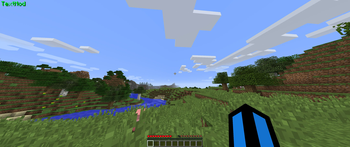

TextMod
A simple forge/fabric mod that allows you to display any custom text on your screen!

Textmod 1.5 for forge 1.8.9
Going opensource!
Textmod's source code is now available on codeberg
I decided to publish it to codeberg instead of github due to various reasons. But if anyone requests the code to also be transfered to github, it shouldnt be a problem. You can request that by opening an issue on codeberg or messaging me on my discord server
This update introduces placeholders!
Placeholders are a way to get various player data and render them.
Placeholder info
There are only a couple of placeholders available, however, if you wish to add your own, the best way is to modify the source. Another way by contacting me on discord, or opening an issue, i will gladly implement your ideas!
- {coordX} - Displays your X coordinate
- {coordY} - Displays your Y coordinate
- {coordZ} - Displays your Z coordinate
- {health} - Displays your current health level
- {name} - Displays the player name
- {maxHealth} - Displays your maximum health
- {saturation} - Displays your current saturation
- {hunger} - Displays your current hunger level
- {heldItemName} - Displays the name of your current held item
- {score} - Displays your current score
- {hour} - Displays the current hour based on your local time
- {minute} - Displays the current minute based on your local time
- {second} - Displays the current second based on your local time
Example usage to configure textmod to display the current time:
/textmod text {hour}:{minute}:{second}Which would look like HH:MM:SS.
The time placeholders are independent on each other.
Will this update be available for fabric and newer versions?
Im not sure if i will be adding support for new versions any time soon. Im more likely to if more people request it on my discord server
Textmod 1.4
Additions:
/textmod pos <X> <Y>Changes This update brings all of the changes from the 1.4 version of textmod for 1.8.9. This includes:
- Big internal optimizations.
- New and improved config system.
- Command structure is now the same as the 1.8.9 version for less confusion.
- And more...
Textmod 1.4
Additions:
/textmod pos <X> <Y>Changes This update brings all of the changes from the 1.4 version of textmod for 1.8.9. This includes:
- Big internal optimizations.
- New and improved config system.
- Command structure is now the same as the 1.8.9 version for less confusion.
- And more...
Textmod 1.4
Additions:
/textmod pos <X> <Y>Changes This update brings all of the changes from the 1.4 version of textmod for 1.8.9. This includes:
- Big internal optimizations.
- New and improved config system.
- Command structure is now the same as the 1.8.9 version for less confusion.
- And more...
Textmod 1.4
Additions:
/textmod pos <X> <Y>Changes This update brings all of the changes from the 1.4 version of textmod for 1.8.9. This includes:
- Big internal optimizations.
- New and improved config system.
- Command structure is now the same as the 1.8.9 version for less confusion.
- And more...
Textmod 1.4
Additions:
/textmod pos <X> <Y>Changes This update brings all of the changes from the 1.4 version of textmod for 1.8.9. This includes:
- Big internal optimizations.
- New and improved config system.
- Command structure is now the same as the 1.8.9 version for less confusion.
- And more...
TextMod 1.4
I have rewritten the mod completely from scratch, i have made a lot of big improvements and fixes.
Additions
- Custom text position
- /textmod pos
- /textmod help
- /textmod info (You may now also use /tm, /txtm, /txtmd)
Changes and improvements
- Multi word text is now supported
- Performance enhancements
- Better config system, everything is now stored in a .json file
- Universal directory support, the mod now supports ANY minecraft directory, not just the default one, making it more compatible with alternative launchers like PrismMC and more...
- Better command structure, commands are now simpler
- Improved internal code, due to the new rewritten codebase, many small things have been fixed, for example, sometimes when changing color or other text settings, you would have to restart the game, or wait a couple of seconds for the changes to take place, this has now been fixed, text changes are instant.
- TextMod may be going open source, i have been thinking about open sourcing textmod, since many of my other projects are open source now, textmod and commandactions are the online mods that are not, and with the rewriting of textmod and release of version 1.4, i will maybe make the textmod github repo public.
This update will propably not be available for 1.21+ for some time, if ever, because of huge differences in code between fabric and forge, rewriting this mod for the 3rd time (Rewriting 1.4 was the second time, the first time was writing the 1.21.5 and 1.21.4 version) isnt something im looking forward to right now, i am a lot more familiar with forge than i am with fabric.
Made UI a bit better, made the command responses colored. For 1.8.9, this update will propably not be available, there are some problems with the coloring.
1.3.1 for Fabric 1.21.5
Made UI a bit better, made the command responses colored. For 1.8.9, this update will propably not be available, there are some problems with the coloring.
1.3.1 for Fabric 1.21.4
Full 1.21.4 support is here!
The full fabric support is here!
New features:
- Help command
- Info command
Fixes:
- Commands work on servers now
!BETA RELEASE!
The fabric support is here in beta!
You can now use Textmod 1.3 in fabric.
IMPORTANT:
Some features are missing from the 1.8.9 version:
- There is a bug that makes it so you can only use commands in singleplayer
- Fixed: You no longer have to restart your game after changing the text/color (There may be a bug where restart is still required while changing the color to cycle)
- Added /textmod set color cycle/custom
- Changed /textmod set YourTextHere to /textmod set name YourTextHere
- Fixed commands only working in singleplayer
- Added TAB autocomplete commands
You can now change the text to custom hex collors, simply type:
/textmod set color custom HexCodeHere
To get the color you want, I recommend using some website, example website that can be used: https://htmlcolorcodes.com/color-picker/ Above the color picker choose copy the HEX code starting with the "#"
- Added /TextMod command:
- Command Features:
- /textmod set TextYouWantToSetHere This allows you to change the text directly from your game!** Commands can be executed in singleplayer only (I will try to fix it in the future) also in order for the text to change reset your game after executing the command**
- /textmod info Displays info about your textmod release
- /textmod reset Resets the text to DefaultText
- /textmod help Tells you all of the commands
First release of TextMod