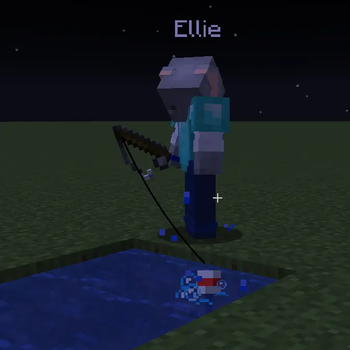

PlayerEngine
PlayerEngine is a server-side framework designed to fundamentally change how AI NPCs exist in Minecraft.

Multiplayer update!
- Dedicated servers support! (See note at bottom)
- Local hosted servers
- LAN play (untested probably works I don't have a way to test)
Server configs/commands!
- Control data storage
- Control AI spawn limits
- Users can control whose bots can respond to your prompts
- Users can control who can talk to your bots
- Everyone gets their own bots, no need to share! (admins set your spawn/storage limits)
- Want to pay for your friends/family bot usage on a small server? Set payer mode to owner! (Not recommended for large/public groups)
New Features!
- AI can place and read signs. (Weaker AI models may struggle. Hanging signs currently unsupported. Trying to place hanging shouldn't crash but don't recommend trying.)
- AI can now get in and out of boats (Most reliable method is to get it to follow you first)
- Call by name: Default/recommended setting especially multiplayer. This setting will make bots ignore messages not addressed to them. Simply use the AI's full name anywhere in your message. You can even address multiple AI in one message. Name should be their full chat name or as it's written over their head. Names are case INSENSITIVE, eLLie works the same as Ellie. Will prefer your own bot in the case of duplicates. You can also address another player's copy directly by writing
's in your message. Ex: "Hey Ellie, what do you think of Zardov's Ellie?" This would result in both bots recieving the message.
*Note: Server admins should use
/playerengine player2 dedicated truewhen not hosting on a local machine. Since most remote hosting services do not support running the player2 app on their servers and cannot auth the web api for you. This switches the server to hand off api calls to clients. And is honestly the recommended setup in most multiplayer cases since it also improves api request que times for multiplayer. So you may even want to use this setting on a local hosted server. WILL NOT HELP SINGLEPLAYER. You won't get any benefits to que time if it's just one player.Multiplayer update!
- Dedicated servers support! (See note at bottom)
- Local hosted servers
- LAN play (untested probably works I don't have a way to test)
Server configs/commands!
- Control data storage
- Control AI spawn limits
- Users can control whose bots can respond to your prompts
- Users can control who can talk to your bots
- Everyone gets their own bots, no need to share! (admins set your spawn/storage limits)
- Want to pay for your friends/family bot usage on a small server? Set payer mode to owner! (Not recommended for large/public groups)
New Features!
- AI can place and read signs. (Weaker AI models may struggle. Hanging signs currently unsupported. Trying to place hanging shouldn't crash but don't recommend trying.)
- AI can now get in and out of boats (Most reliable method is to get it to follow you first)
- Call by name: Default/recommended setting especially multiplayer. This setting will make bots ignore messages not addressed to them. Simply use the AI's full name anywhere in your message. You can even address multiple AI in one message. Name should be their full chat name or as it's written over their head. Names are case INSENSITIVE, eLLie works the same as Ellie. Will prefer your own bot in the case of duplicates. You can also address another player's copy directly by writing
's in your message. Ex: "Hey Ellie, what do you think of Zardov's Ellie?" This would result in both bots recieving the message.
*Note: Server admins should use
/playerengine player2 dedicated truewhen not hosting on a local machine. Since most remote hosting services do not support running the player2 app on their servers and cannot auth the web api for you. This switches the server to hand off api calls to clients. And is honestly the recommended setup in most multiplayer cases since it also improves api request que times for multiplayer. So you may even want to use this setting on a local hosted server. WILL NOT HELP SINGLEPLAYER. You won't get any benefits to que time if it's just one player.Multiplayer update!
- Dedicated servers support! (See note at bottom)
- Local hosted servers
- LAN play (untested probably works I don't have a way to test)
Server configs/commands!
- Control data storage
- Control AI spawn limits
- Users can control whose bots can respond to your prompts
- Users can control who can talk to your bots
- Everyone gets their own bots, no need to share! (admins set your spawn/storage limits)
- Want to pay for your friends/family bot usage on a small server? Set payer mode to owner! (Not recommended for large/public groups)
New Features!
- AI can place and read signs. (Weaker AI models may struggle. Hanging signs currently unsupported. Trying to place hanging shouldn't crash but don't recommend trying.)
- AI can now get in and out of boats (Most reliable method is to get it to follow you first)
- Call by name: Default/recommended setting especially multiplayer. This setting will make bots ignore messages not addressed to them. Simply use the AI's full name anywhere in your message. You can even address multiple AI in one message. Name should be their full chat name or as it's written over their head. Names are case INSENSITIVE, eLLie works the same as Ellie. Will prefer your own bot in the case of duplicates. You can also address another player's copy directly by writing
's in your message. Ex: "Hey Ellie, what do you think of Zardov's Ellie?" This would result in both bots recieving the message.
*Note: Server admins should use
/playerengine player2 dedicated truewhen not hosting on a local machine. Since most remote hosting services do not support running the player2 app on their servers and cannot auth the web api for you. This switches the server to hand off api calls to clients. And is honestly the recommended setup in most multiplayer cases since it also improves api request que times for multiplayer. So you may even want to use this setting on a local hosted server. WILL NOT HELP SINGLEPLAYER. You won't get any benefits to que time if it's just one player.Multiplayer update!
- Dedicated servers support! (See note at bottom)
- Local hosted servers
- LAN play (untested probably works I don't have a way to test)
Server configs/commands!
- Control data storage
- Control AI spawn limits
- Users can control whose bots can respond to your prompts
- Users can control who can talk to your bots
- Everyone gets their own bots, no need to share! (admins set your spawn/storage limits)
- Want to pay for your friends/family bot usage on a small server? Set payer mode to owner! (Not recommended for large/public groups)
New Features!
- AI can place and read signs. (Weaker AI models may struggle. Hanging signs currently unsupported. Trying to place hanging shouldn't crash but don't recommend trying.)
- AI can now get in and out of boats (Most reliable method is to get it to follow you first)
- Call by name: Default/recommended setting especially multiplayer. This setting will make bots ignore messages not addressed to them. Simply use the AI's full name anywhere in your message. You can even address multiple AI in one message. Name should be their full chat name or as it's written over their head. Names are case INSENSITIVE, eLLie works the same as Ellie. Will prefer your own bot in the case of duplicates. You can also address another player's copy directly by writing
's in your message. Ex: "Hey Ellie, what do you think of Zardov's Ellie?" This would result in both bots recieving the message.
*Note: Server admins should use
/playerengine player2 dedicated truewhen not hosting on a local machine. Since most remote hosting services do not support running the player2 app on their servers and cannot auth the web api for you. This switches the server to hand off api calls to clients. And is honestly the recommended setup in most multiplayer cases since it also improves api request que times for multiplayer. So you may even want to use this setting on a local hosted server. WILL NOT HELP SINGLEPLAYER. You won't get any benefits to que time if it's just one player.persistent per world character inventory
misc small fixes
persistent per world character inventory
misc small fixes
persistent per world character inventory
misc small fixes
persistent per world character inventory
misc small fixes
Нет описания изменений
Нет описания изменений
Нет описания изменений
Нет описания изменений
Нет описания изменений
Нет описания изменений
Нет описания изменений
Нет описания изменений
Нет описания изменений
Нет описания изменений
Нет описания изменений
Нет описания изменений