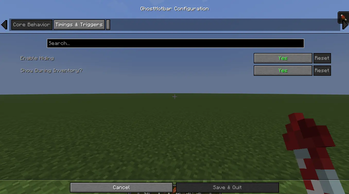


Hide your hotbar by default. Show it temporarily with a key or when picking up important items.
What GhostHotbar Does:
- Hides your hotbar by default to reduce visual clutter.
- Shows it temporarily when you press a key (e.g., H) or pick up an item in the hotbar.
- Automatically hides the hotbar after a set duration (3–4 seconds).
- Resets the timer each time a new item enters the hotbar.
- Shows the hotbar when opening your Inventory and hides it again when closing.
Configurable Options:
- keyShowHotbar → Key to show the hotbar (default H)
- showDuration → Time in seconds the hotbar stays visible (default 3–4)
- resetOnPickup → true/false, whether picking up a new hotbar item resets the timer
- showDuringInventory → true/false, hotbar always visible while Inventory is open
- enableHotbarHide → true/false, enable/disable the hiding feature completely
Why Use GhostHotbar:
- Reduces distractions and lets you focus on gameplay.
- Only shows the hotbar when needed, giving a cleaner interface.
- Perfect for pairing with SmartSlot: GhostHotbar handles visibility while SmartSlot automatically selects items, giving full control without visual clutter.
Gameplay Benefits:
- Cleaner HUD, more focus.
- Faster reactions with no unnecessary visual noise.
- Keeps hotbar management smart and simple while maintaining full control over your items.
Авторы

Сведения
Лицензия:
Опубликован:5 месяцев назад
Обновлён:5 месяцев назад
ID проекта: