
Bugs Fixed
Slider now correctly display
Debug messages removed
commands
GUI
A new element, a 3d Gui, it's dimensions, size and color can be defined
require a ressource pack
function buttons:gui/open- fields
-
dist : {Double} Distance beetween the player head and the summoned gui
-
dim : {Array of 2 int} dimensions of the gui
-
color : {RGB float array} color of the gui background
-
text_box
- text: {Json text} label of the gui
- size: {float} size scalar of the label
- dx: {float} offset of the label
-
Tags : {string array} custom tags added
-
ex:
/function buttons:gui/open {dist:1,dim:[9,1],color:[1,1,1],size:0.2,text_box:{text:{text:"One line",color:"black"},dx:-0.7},Tags:[]}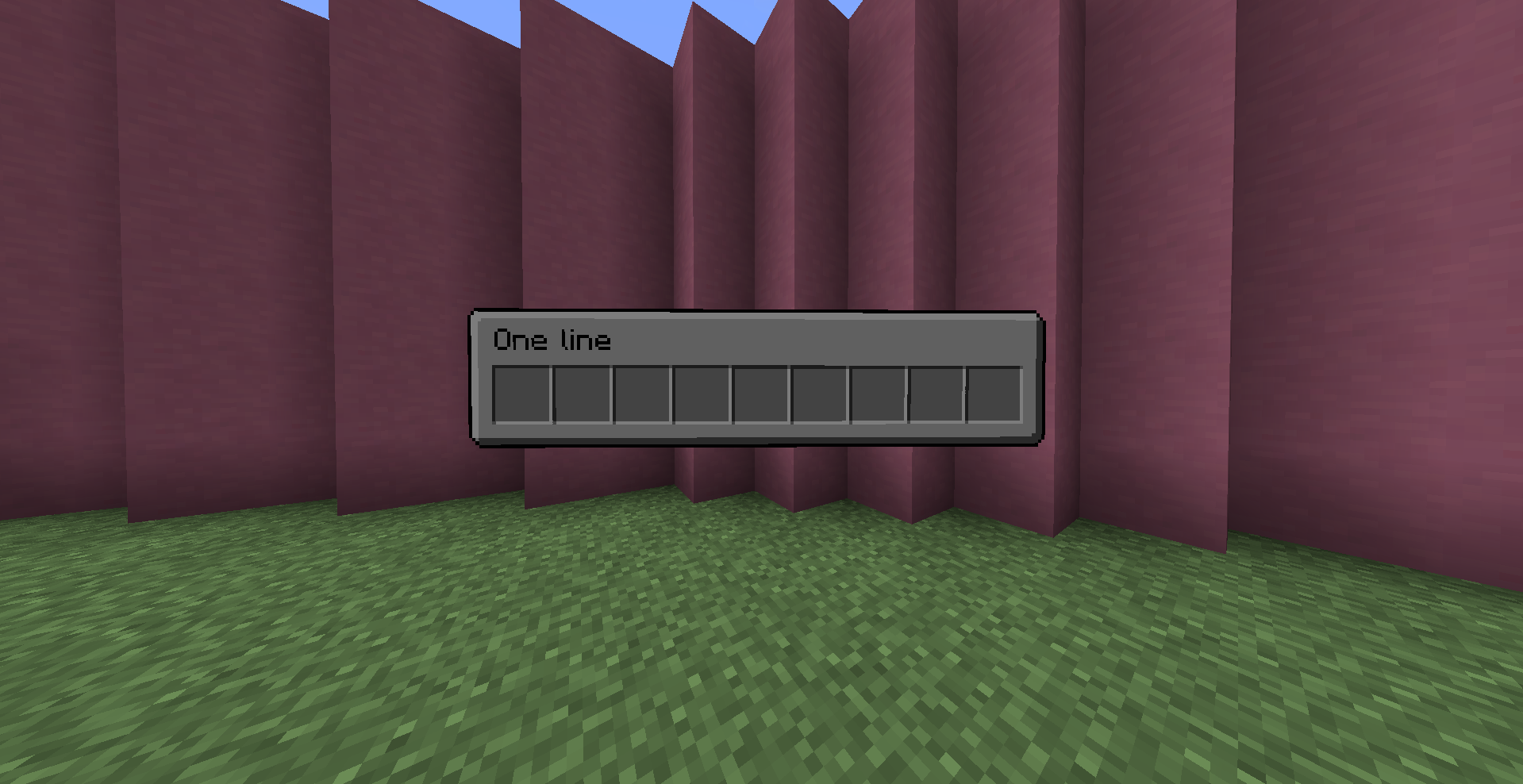
function buttons:gui/updateexecuted by a GUI, that update himself
executed by a player, that update one of his open Gui
- fields
- Items : {Array of Minecraft Item Json} Items in the gui
- id : {minecraft item id}
- count: {int} count of the item
- Slot/slot: {byte/int} slot of the item
- components: item components
- command: {string} command executed when the owner of the gui click on this item by and at the gui
- color: {RGB float array} color of the gui
- Items : {Array of Minecraft Item Json} Items in the gui
ex:
/function buttons:gui/update {Items:[{id:"diamond",slot:4,components:{"minecraft:item_name":"I am Rich!"}, command: "say I am the Gui" }],color:[0.5,0.8,1]}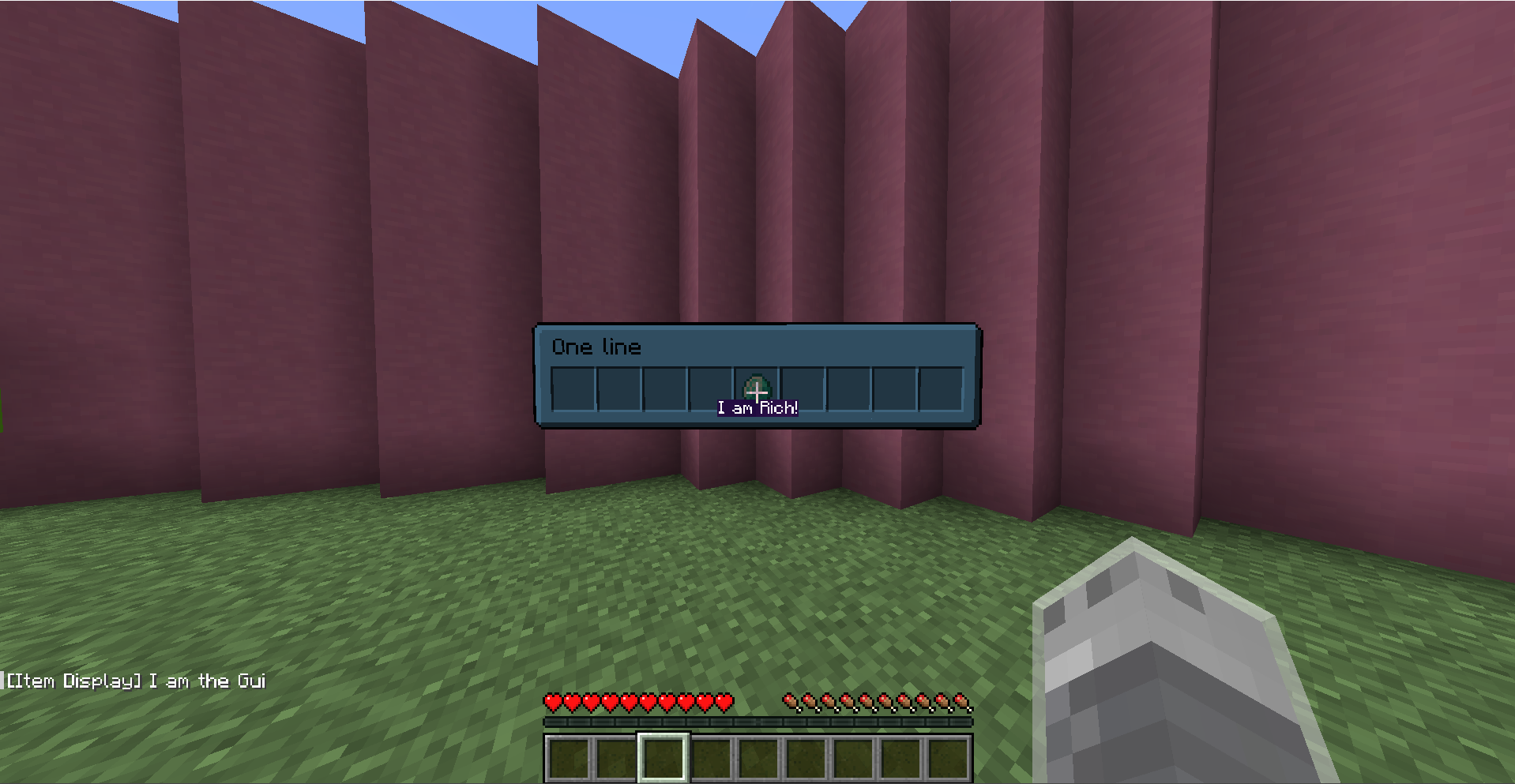
function buttons:gui/closeexecuted by a GUI, that close himself
executed by a player, that close one of his open Gui
User Tag
When a player use click to action or gui, he have temporary the tag
button.user
Bugs Fixed
If multiple UI elements are superposed, the interaction will be on the first element in crosshair (considere not the coord of each elements but the size and the plane)
- fields
Bugs Fixed:
-slider cursor now correctly centered
commands:
Update
function buttons:updateupdate the display of button
Remove
function buttons:removeremove the button
Slider
function buttons:summon/slider- fields
-
score
- name : {string} name of the score linked to the slider
- objective : {string} objective of the score linked to the slider
- min: {int} minimum value of the score
- max: {int} maximum value of the score
- inc: {int} incrementation value of the score
-
bc_box
- width: {float}: width of the slider
- height: {float}: height of the slider
- cursor_width: {float}: width of the slider's cursor
- style: {string:"block", "flat"} display's type of the button, flat is a rgba 2d display and block a 3d block display
- block: {string} block id of main display (if style == "block")
- cursor_block: {string} block id of cursor display (if style == "block")
- color: {int: rgba int} color of main display (if style == "flat")
- cursor_color: {int: rgba int} color of cursor display (if style == "flat")
-
text_box
- text: {Json text} label of the slider
- size: {float} size scalar of the label
-
Tags : {string array} custom tags added
-
ex:
execute rotated 110 0 run function buttons:summon/slider {score:{name:"leaves.limit",objective:"settings",min:0,max:4,inc:1},bc_box:{style:"flat",color:-495519092,cursor_color:-491520833,width:1.0,height:0.1},text_box:{text:{text:"foliage",color:"green"}},Tags:[]}CTA
function buttons:summon/cta- fields
-
command: {string} command executed when button is clicked
-
bc_box
- width: {float}: width of the cta
- height: {float}: height of the cta
- style: {string:"block", "flat"} display's type of the button, flat is a rgba 2d display and block a 3d block display
- block: {string} block id of main display (if style == "block")
- color: {int: rgba int} color of main display (if style == "flat")
-
text_box
- text: {Json text} label of the cta
- size: {float} size scalar of the label
-
animation {string: "none", "v_squash", "h_squash", "rotation", "super_rotation"} define the animation when button is clicked
-
Tags : {string array} custom tags added
-
ex:
execute rotated 0 0 run function buttons:summon/cta {command:'say hey',bc_box:{style:"block",block:"white_stained_glass",width:1.0,height:1.0},text_box:{size:0.5,text:{text:"Hello",color:"black"}},Tags:[],animation:"h_squash"}Binary Switch
function buttons:summon/binary_switch- fields
-
score
- name : {string} name of the score linked to the binary switch
- objective : {string} objective of the score linked to the binary switch
-
bc_box
- size: {float}: size of the binary switch
- block: {string} block id of main display
- on
- type : {string: "item", "text"} type of display
- item : {Json item} item displayed (if type == "item")
- text : {Json text} text displayed (if type == "text")
- off
- type : {string: "item", "text"} type of display
- item : {Json item} item displayed (if type == "item")
- text : {Json text} text displayed (if type == "text")
-
text_box
- text: {Json text} label of the binary switch
- size: {float} size scalar of the label
-
Tags : {string array} custom tags added
-
ex:
execute rotated -150 0 run function buttons:summon/binary_switch {score:{name:"switch.block",objective:"settings"},bc_box:{block:"white_concrete",size:0.5,on:{type:"item",item:{id:"lime_concrete",count:1}},off:{type:"item",item:{id:"red_concrete",count:1}}},text_box:{text:{text:"Block",color:"red"}},Tags:["block_switch"]}
demo video
- fields
